This shared guide covers OPAL 670 and 690Q features only where the model-specific manual says they apply. It does not extend these settings to the OPAL 650. Identify your exact model and manual before using a menu or saving a program. See the official HUSQVARNA VIKING OPAL 670/690Q User’s Guide.
Four systems with different jobs#
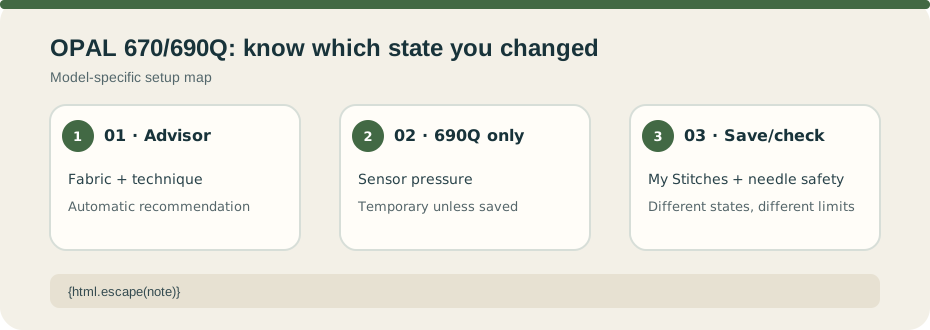
The Exclusive SEWING ADVISOR asks for fabric and technique, then automatically selects a stitch and settings such as width, length, speed, and tension. The display also gives recommendations for items such as foot, pressure, and needle. If a fabric/technique pairing is not accepted, the guide says the machine beeps and declines it. Treat the result as a manual-guided starting point and test the actual fabric.
The Exclusive Sensor System pressure behavior described here is 690Q-only. It senses thickness; manual pressure can be set from 0 to 8.5 in 0.5 steps, but an unsaved value resets when the stitch changes or the machine powers off. The sensor also lifts the foot to a pivot position when stopped with the needle down. These behaviors are controls, not a material capacity rating.
My Stitches stores up to 8 memories on the 670 and 12 on the 690Q, with up to 20 stitch spaces in each. FIX, STOP, and Thread Cut commands each use one space. Saving may overwrite a program after confirmation; an empty program clears a memory, and saved programs load through the menu.
Twin Needle size and Stitch Width Safety are separate settings. The Twin Needle selection limits width and persists after power-off; it cannot be set at the same time as Stitch Width Safety. Width Safety is set to zero when using the straight-stitch plate/foot. Still check the selected stitch, foot, and plate in the matching manual and test slowly. Do not assume automation removes the need for clearance checks.