A computerized machine may offer more stitch choices or show the selected stitch on a screen. A mechanical machine may use dials and levers for the same basic decisions. Neither control style tells you which setting is right for a fabric stack: identify the exact model, select an available stitch, and follow that machine’s chart.
Compare named machines, not labels#
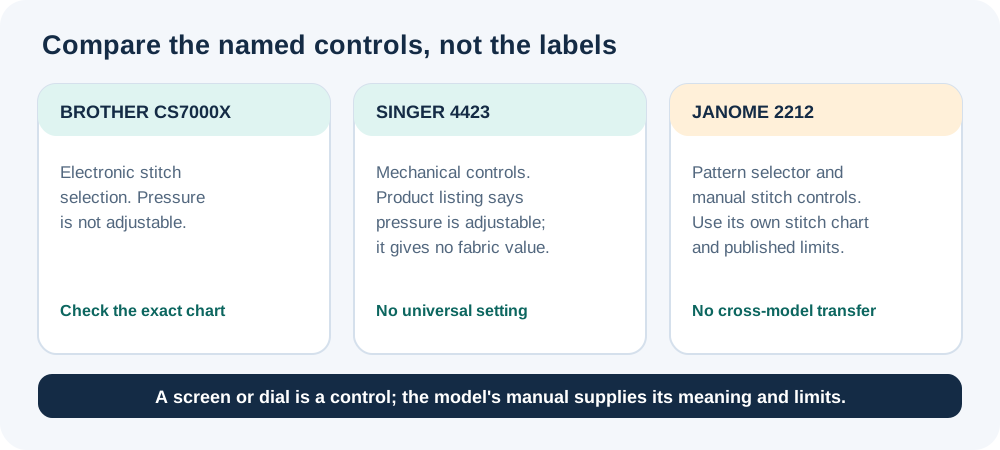
The Brother CS7000X selects from built-in stitches electronically, but its manual and support guidance still define needle, width, and foot limits. Brother states in its pressure guidance that CS7000X presser-foot pressure is not adjustable. The SINGER 4423 product information lists an adjustable pressure control; it does not publish one pressure value for every fabric. The Janome 2212 uses a pattern selector and manual width, length, and tension controls, with published maxima of 5 mm width and 4 mm length on its information sheet.
These examples show why “computerized” and “mechanical” are not complete setup instructions. For each model, find out which stitch is selected, whether width and length can be changed for it, how needle position is controlled, and which foot the manual requires.
Needle-position controls can also depend on the selected stitch. Brother’s guidance for the CS7000X says the plus side of the stitch-width key moves the needle right, and the minus side moves it left, for straight stitch and triple-stretch stitch. The answer gives no numeric movement and does not establish the behavior for every stitch. After changing position, follow the exact manual and confirm that the needle clears the selected foot and plate.
Understand reverse and reinforcement#
On the Brother CS7000X, reverse and reinforcement are different operations. Brother’s support article describes reverse as sewing backward while the reverse control is held. Reinforcement can sew several stitches in place on some non-straight or zigzag patterns. The manual’s stitch chart determines which operation is available. Do not assume another brand’s reverse control behaves the same way.
Buttonholes also illustrate the difference. A Janome 2212 uses a four-step buttonhole process documented in its instruction book, while a computerized model may offer a one-step control sequence. In either case, use the instructions for the selected model and foot; the number of steps is not a measure of stitch quality.
Build a repeatable setup#
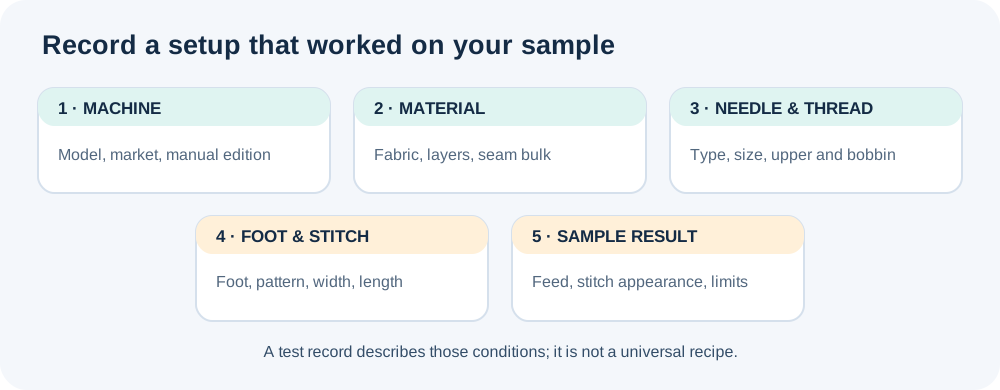
Before stitching, write down the model and manual edition, selected stitch, width and length, needle, thread, foot, fabric, and number of layers. Sew a test sample with the same seam bulk as the project. Change one control at a time and record the result. If the needle touches a foot or plate, stop and recheck the manual’s clearance instructions.
For model-specific examples, see the Brother CS7000X denim guide, SINGER 4423 heavy-fabric guide, Janome 2212 control map, SINGER Quantum Stylist 9960 guide, and separate SINGER Heavy Duty 6800C/6805C and 6600C/6605C control guides. Each guide applies to the models named in its manual; settings do not transfer between them.