On the U.S. Brother CS7000X, several charted stitches can overcast an edge, but they do not all use the same foot or serve the same named application. Use the machine’s own chart column and the guide’s matching foot procedure; do not borrow a stitch number from a neighboring model column.
Read the CS7000X stitch chart#
Brother identifies the CS7000X as a 70-stitch model on its U.S. product page, and lists its model-linked manuals on the U.S. manuals page. The Stitch Chart has separate columns for 90-, 80-, and 70-stitch models. The entries below come from the 70-stitch column for this model. The chart’s automatic width and length values are starting values printed for that stitch, not a guarantee for every fabric or edge.
| Stitch | Foot | Charted use | Automatic width × length |
|---|---|---|---|
| 04 | J | Zigzag: overcasting or mending | 3.5 × 1.4 mm |
| 05 | J | Three-step elastic zigzag: overcasting medium, heavyweight, or stretch fabrics; tape and elastic | 5.0 × 1.0 mm |
| 06 | G | Overcasting to reinforce light- and medium-weight fabrics | 3.5 × 2.0 mm |
| 07 | G | Overcasting to reinforce heavyweight fabric | 5.0 × 2.5 mm |
| 08 | J | Overcasting stitch for reinforced seaming of stretch fabric | 5.0 × 2.5 mm |
The chart shows stitch 09 for the 90- and 80-stitch columns, but a dash in the 70-stitch column. Do not select 09 on the CS7000X based on a neighboring column. For elastic attachment, see [the separate stretch-hem guide].
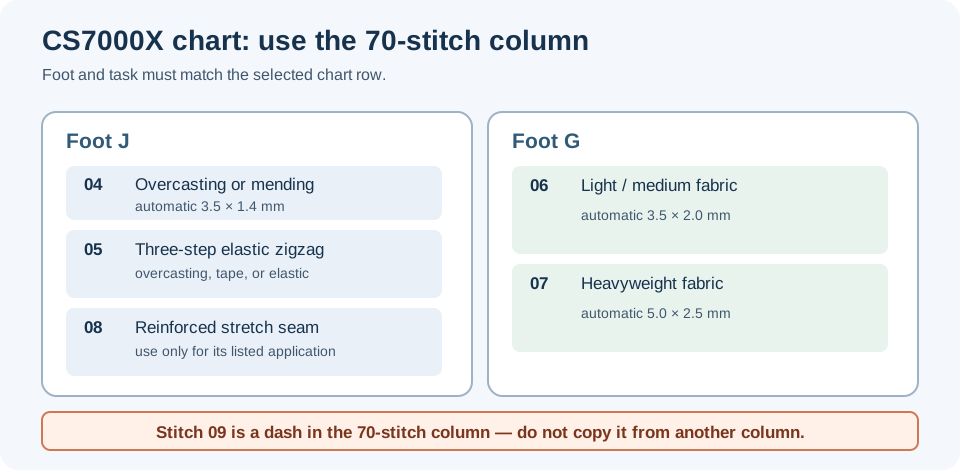
These chart labels describe applications, not a strength rating or a promise that one stitch suits every edge. Pick the listed row that matches the task, then test the actual fabric, layers, thread, and needle. Keep the straight construction seam separate from an edge-finishing pass when the project needs both.
Use foot G for the charted G stitches#
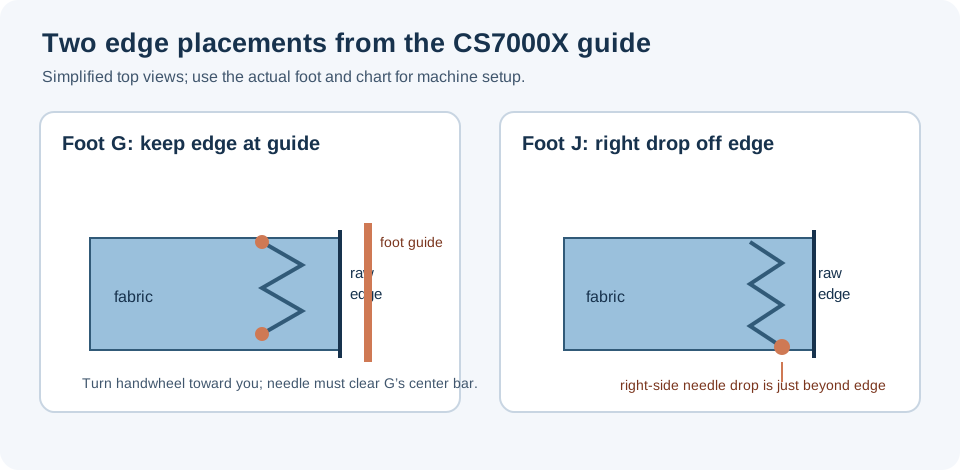
Turn the machine off before changing the presser foot. Attach overcasting foot G, then select one of the stitches the CS7000X chart lists for that foot: 06 or 07. Brother warns that the wrong stitch can make the needle hit the foot.
Place the cut edge against the guide on foot G and lower the foot. Before sewing, turn the handwheel toward you to check that the needle does not touch the foot’s center bar. If it touches or appears close, stop and recheck the selected stitch and foot; do not test clearance by running the motor. During sewing, keep the fabric edge against the guide rather than pushing or pulling the material to correct the stitch.
When finished with foot G, Brother directs the user to pull the fabric toward the back of the machine. Do not pull it sideways or forward, which may damage the foot pin. If thread is tangled on the foot, remove the tangle before raising the presser-foot lever.
Use foot J for the charted J stitches#
For stitch 04, the guide’s J-foot route places the fabric along its edge so the needle drops just off the fabric at the right. The chart also lists J with stitches 05 and 08 for their separate applications. Follow the CS7000X chart and the matching part of its guide for the selected task; the foot letter alone does not tell you that every stitch is safe with that foot.
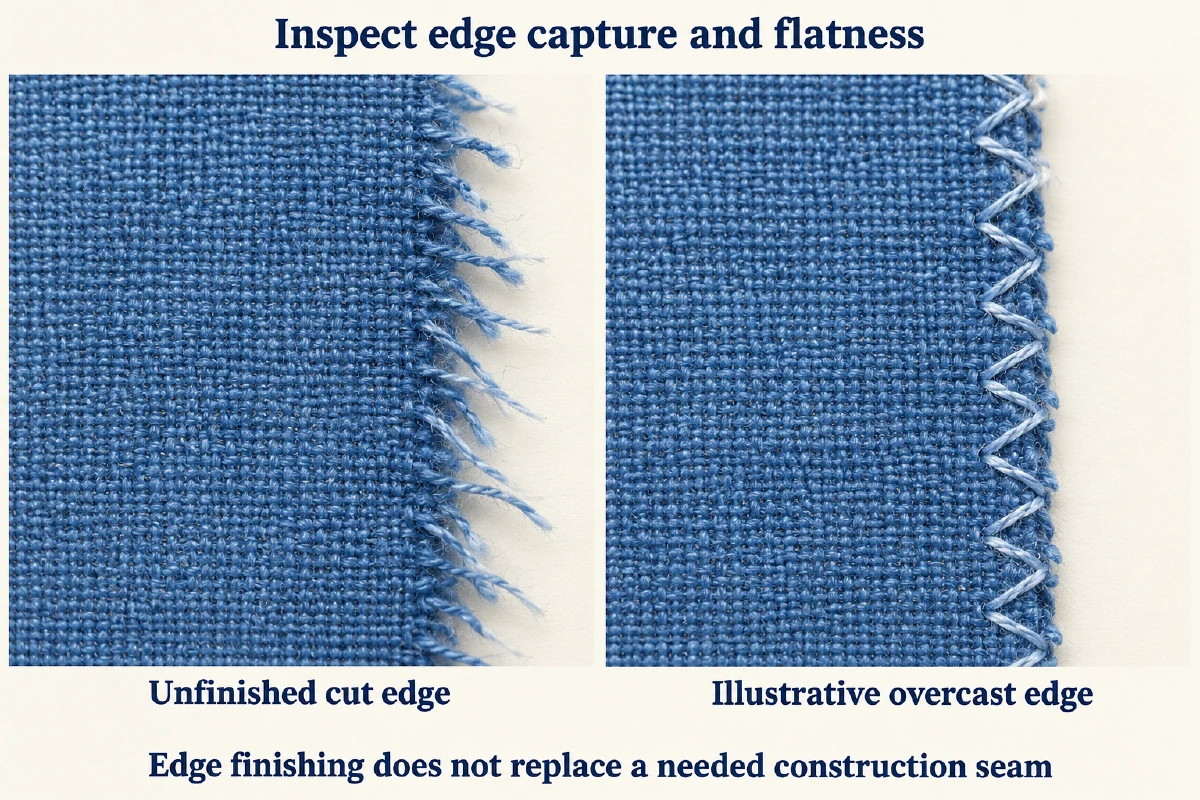
Make a sample with the same cut edge and layers. Check that the needle clears the foot and plate through its full swing and that the stitch catches the edge as intended. If fabric bunches, the needle approaches a hard part, or the machine resists, stop and consult the machine’s manual before changing width or handling.
This is an edge-finishing setup for the named Brother model. It does not replace a serger, certify a seam’s strength, or establish compatibility with another machine. For woven and stretch seam choices, see the stitch-family guide; for a Brother-specific thick-seam start example, see the denim topstitching guide.